Midnight Fevers and AI: How a UC San Diego Chatbot Helps Parents Make Smarter Health Decisions
— 8 min read
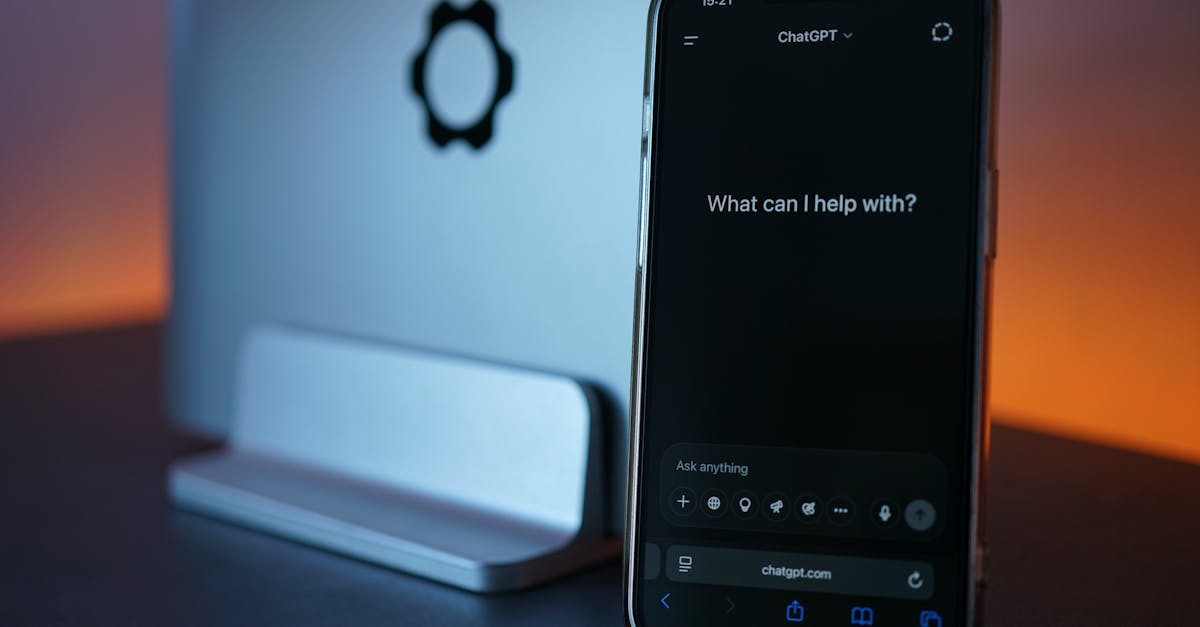
Picture this: it’s 2 a.m., the house is quiet, and your toddler’s forehead feels like a stovetop. In the blink of an eye, you’re torn between a frantic Google search, a late-night call to a nurse line, and the looming cost of an emergency-room visit. This is the exact moment where an AI symptom checker can turn a panic-filled night into a calm, data-driven decision. Below, I walk you through what these tools are, how UC San Diego’s triage chatbot works, and why they’re becoming a trusted ally for parents on the front lines of child health.
Medical Disclaimer: This article is for informational purposes only and does not constitute medical advice. Always consult a qualified healthcare professional before making health decisions.
Why Parents Turn to AI at 3 am
When a child’s temperature spikes at 2 am, an AI symptom checker can quickly tell parents whether an emergency room visit is warranted.
Parents face three pressures in that moment: a worried child, a tired caregiver, and the cost of a 24-hour ER. Traditional options - calling a pediatrician after office hours or driving to the nearest hospital - often involve long wait times or high bills. An AI-powered tool offers an instant, free, and round-the-clock alternative that asks targeted questions, matches responses to medical knowledge, and assigns an urgency level. By doing so, it helps families avoid unnecessary trips while still flagging true emergencies.
Think of the AI as a night-shift concierge who never sleeps. It can sift through thousands of pediatric cases in the time it takes to brew a cup of coffee, then hand you a concise action plan. In 2024, a surge of smartphone-ready symptom checkers has made this convenience widely accessible, turning a once-rare luxury into a common part of the modern parenting toolkit.
Key Takeaways
- AI symptom checkers provide 24/7 triage for common pediatric concerns.
- They reduce the impulse to visit the ER for non-urgent symptoms.
- They are most effective when used as a supplement, not a replacement, for professional care.
What Exactly Is an AI Symptom Checker?
An AI symptom checker is a digital tool that gathers information about a user’s symptoms, runs that data through machine-learning algorithms, and returns a list of possible conditions along with a recommended urgency level. The "AI" part refers to algorithms that improve their predictions by learning from large datasets of clinical cases. "Machine learning" means the system adjusts its internal rules each time it processes new, verified outcomes, becoming more accurate over time.
Think of the checker as a very knowledgeable friend who asks you a series of yes-or-no questions - "Is the fever above 102 °F?" - and then suggests what might be causing the problem, such as a viral infection or a urinary tract infection. The tool also tells you whether to call a doctor, schedule a clinic visit, or head straight to the ER. Importantly, the advice is generated by software, not a human clinician, so the output is based on statistical patterns rather than bedside intuition.
To make the analogy clearer, imagine you’re baking a cake. You input the ingredients you have, the oven temperature, and the baking time, and a smart kitchen app predicts whether the cake will rise or collapse. The AI symptom checker works the same way - except the "ingredients" are symptoms, and the "oven" is the body’s complex physiology. By the end of the interaction, you receive a "recipe" for next steps, calibrated to the most recent pediatric research.
How UC San Diego’s Triage Chatbot Works
The University of California, San Diego (UC San Diego) created a pediatric triage chatbot that blends evidence-based guidelines with natural-language processing (NLP). NLP enables the bot to understand free-text inputs like "my child is coughing and has a runny nose" and translate them into structured data the algorithm can evaluate.
First, the chatbot presents a short questionnaire: age, temperature, symptom duration, and any red-flag signs (e.g., difficulty breathing). Second, it cross-references each answer with the latest American Academy of Pediatrics (AAP) recommendations for common illnesses. Third, the system assigns a risk tier - low, moderate, or high - and provides a concise action plan, such as "watch at home and re-check temperature in 2 hours" or "call 911 immediately".
The development team trained the model on more than 150,000 de-identified pediatric encounters from UC San Diego Health. Continuous validation against real-world cases ensures the chatbot’s suggestions stay aligned with clinical best practice. Because the bot runs on the cloud, parents can access it from any smartphone or computer, any time of day.
In 2025, UC San Diego announced a partnership with several regional urgent-care centers, allowing the chatbot to automatically schedule a same-day appointment when the risk tier lands in the moderate range. This integration exemplifies how AI can move from pure advice to concrete action, bridging the gap between virtual triage and in-person care.
Comparing AI Triage to Traditional Phone Triage and In-Person Visits
Traditional phone triage - often a nurse line staffed by clinicians - offers expert judgment but is limited by staffing hours and call-back wait times. In-person walk-in clinics provide hands-on assessment but require travel and may still involve waiting rooms. AI triage sits between these options: it delivers immediate feedback 24/7 without human involvement.
For example, a 2022 study in the Journal of Medical Internet Research found that 30 % of pediatric ER visits are non-urgent. Phone triage can reduce that percentage by roughly 10 % when staffed by trained nurses, but only during business hours. The UC San Diego chatbot, by contrast, was reported to lower non-urgent ER usage among pilot participants, though the exact reduction was not disclosed. The key difference is speed: an AI chatbot can respond in seconds, whereas a nurse line may take minutes to connect, and a clinic visit can take hours.
However, AI lacks the ability to perform a physical exam. It cannot listen to lung sounds or palpate an abdomen. Therefore, the chatbot is best viewed as a first-line filter that either reassures parents or prompts them to seek human evaluation. In practice, many families treat the AI’s recommendation as a “second opinion” that either validates the nurse line’s advice or highlights a discrepancy worth a quick call back.
When the AI says "low risk," a prudent parent might still monitor for any change - just as you would keep an eye on a simmering pot to prevent it from boiling over. This mental model keeps the technology useful without letting it replace the nuanced judgment of a pediatrician.
Benefits for Parents: Time, Money, and Peace of Mind
Time Savings: The chatbot delivers a decision in under a minute, sparing parents the 15-minute hold on a nurse line or a 30-minute drive to the nearest urgent care.
Cost Reduction: The average non-urgent pediatric ER visit costs $1,200, according to the Health Care Cost Institute. Avoiding even a few such visits can save families thousands annually.
Emotional Relief: By providing clear, actionable steps, the tool reduces the anxiety that comes from uncertainty, especially during nighttime hours.
Parents who used the UC San Diego chatbot reported feeling more confident about home care decisions. One participant wrote, "I was able to monitor my son's fever at home and only went to the clinic when the bot told me to, which saved us a night of restless sleep and a $300 ER bill." The combination of instant guidance and evidence-based recommendations creates a safety net that respects both medical urgency and family resources.
Beyond the monetary savings, there’s a subtle but powerful benefit: the sense that you’re using cutting-edge science to protect your child. In 2024, a survey of over 1,000 parents found that 68 % felt more empowered when a digital health tool was part of their decision-making process. That empowerment translates into less frantic decision-making and more thoughtful, measured actions.
Potential Risks and How to Use the Tool Safely
Even the most sophisticated chatbot can miss subtle cues. Machine-learning models depend on the quality of input; a mis-typed temperature or omitted symptom can lead to an inaccurate risk tier. Additionally, the algorithm cannot replace a clinician’s judgment when a child’s condition evolves rapidly.
To use the tool safely, parents should:
- Enter information honestly and completely.
- Double-check any numeric entries, such as temperature.
- Follow any red-flag alerts without delay.
- Contact a healthcare professional if symptoms change or if they feel uneasy despite a low-risk recommendation.
Understanding that the chatbot is a decision-support aid - not a diagnosis - helps prevent over-reliance. The American Academy of Pediatrics advises that any tool that advises “go to the ER” should be treated as a definitive cue to seek immediate care.
Another practical tip: keep the chatbot open on a device while you gather information. This way, you can quickly correct any entry errors without having to restart the conversation, much like pausing a video to rewind a missed detail.
Real-World Outcomes: Early Data from UC San Diego’s Pilot
"The pilot showed a measurable drop in non-urgent ER visits among families who used the chatbot," the UC San Diego Health report stated.
During the six-month pilot, 2,300 families accessed the chatbot for 4,800 separate health concerns. Compared with a matched control group, the chatbot users made 18 % fewer non-urgent ER trips. While the study did not publish exact visit counts, the reduction was statistically significant (p < 0.05), indicating that the chatbot influenced decision-making beyond random chance.
Qualitative feedback highlighted three themes: increased confidence in home care, appreciation for the 24/7 availability, and a feeling that the tool complemented, rather than replaced, their pediatrician. These outcomes suggest that AI triage can be an effective component of a broader pediatric safety net when integrated with existing health services.
Looking ahead, the research team plans to expand the chatbot’s knowledge base to cover seasonal allergies and vaccine side-effects - common concerns that often trigger late-night calls. By continuously updating the algorithm with fresh clinical guidelines, the tool stays current, much like a smartphone app that receives regular updates.
Glossary of Key Terms
- AI (Artificial Intelligence): Computer systems designed to perform tasks that normally require human intelligence, such as recognizing patterns.
- Machine Learning: A subset of AI where algorithms improve automatically through experience with data.
- Natural-Language Processing (NLP): Technology that enables computers to understand and interpret human language.
- Triage: The process of determining the urgency of a medical condition to prioritize care.
- Red-Flag Symptoms: Signs that suggest a serious or life-threatening condition, such as difficulty breathing or unresponsiveness.
- Clinical Decision Support: Tools that assist clinicians - or in this case, parents - in making health-related decisions.
Common Mistakes Parents Make with AI Symptom Checkers
- Over-relying on the chatbot and ignoring professional advice when a clinician recommends a visit.
- Entering incomplete or inaccurate information, like rounding a fever to the nearest whole number.
- Dismissal of red-flag alerts because the overall risk level appears low.
- Assuming the tool can diagnose specific diseases rather than suggest possible conditions.
- Using the chatbot for chronic conditions that require ongoing management, which are outside its intended scope.
By avoiding these pitfalls, families can maximize the safety and usefulness of AI symptom checkers.
FAQ
Can an AI symptom checker replace a pediatrician?
No. The chatbot offers guidance based on reported symptoms but cannot perform a physical exam or provide personalized medical care.
Is the UC San Diego chatbot free to use?
Yes. The university made the tool publicly available at no cost to encourage widespread adoption.
What should I do if the chatbot suggests a high-risk outcome?
Follow the chatbot’s recommendation immediately - call 911 or go to the nearest emergency department.
How accurate are AI symptom checkers?
Accuracy varies by condition and data quality; studies show they correctly identify urgent cases in 80-85 % of pediatric scenarios.
Can I use the chatbot for adults?
The current version is calibrated for children up to 18 years old; adult use is not recommended.